Creating a subdomain with us is much simpler than with other web hosting providers. Creating a
subdomain works exactly the same way as creating a new website in the admin panel.
You create a new subdomain with the following steps:
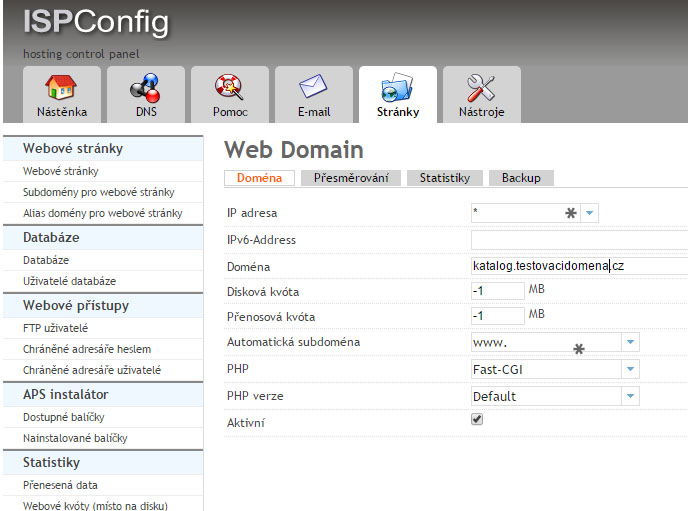
Admin panel -> Sites (Stránky) -> in the left column select Websites (Webové stránky) -> Then click Add website (Přidat webovou stránku)
Then fill in the fields as shown in the image, but with your own details.
If you need to, you can also choose the PHP version. This option is covered in the article Choosing a PHP version.
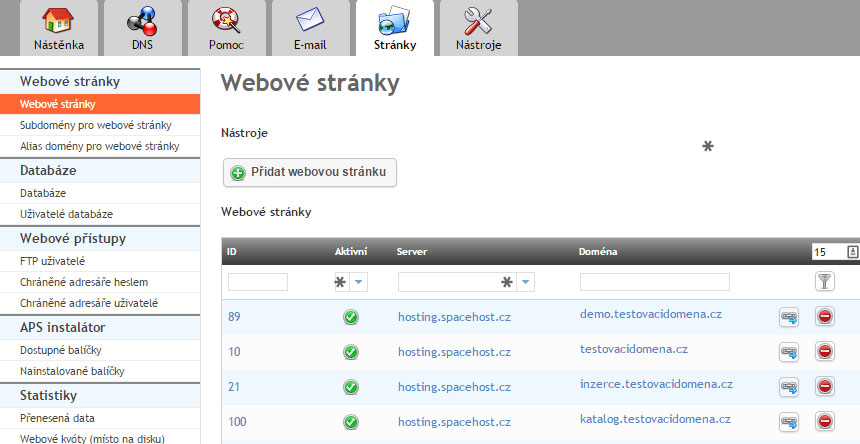
In the admin panel, subdomains may look, for example, like this:
For each website created this way, you also need to create an FTP account. Read about creating one in the article How to create an FTP account and manage website files.