A guide to simply password-protecting part of a website using the tools called .htaccess and .htpasswd.
In the following example, we will password-protect the subdirectory
tajne, that is, what is accessible at the URL http://yourdomain/tajne/.
In the relevant www/tajne directory, create an .htaccess file with the following content:
AuthUserFile /data/web/virtuals/2222/virtual/www/tajne/.htpasswd
AuthGroupFile /dev/null
AuthName "Nazev tajne casti stranek"
AuthType Basic
Require valid-user
Order deny,allow
In the path to the .htpasswd file, you must replace the number 2222 with the number of your web hosting (this number is part of your FTP and database login names).
Next you need to create the .htpasswd file, which will store the list of users with their passwords. There is one user per line - the line contains the login name, a colon, and then the password in hashed form. To create the contents of the .htpasswd file, use an htpasswd generator.
Example contents of the .htpasswd file:
karel:$apr1$5cK3b4YD$qVGM7CbNIrjTScxrv2TdQ/
That is all. When accessing the given URL, the browser will ask for a name and password.
If you see a 500 error after this setup, make sure everything in the .htaccess file is entered correctly, including the correct absolute path to the .htpasswd file.
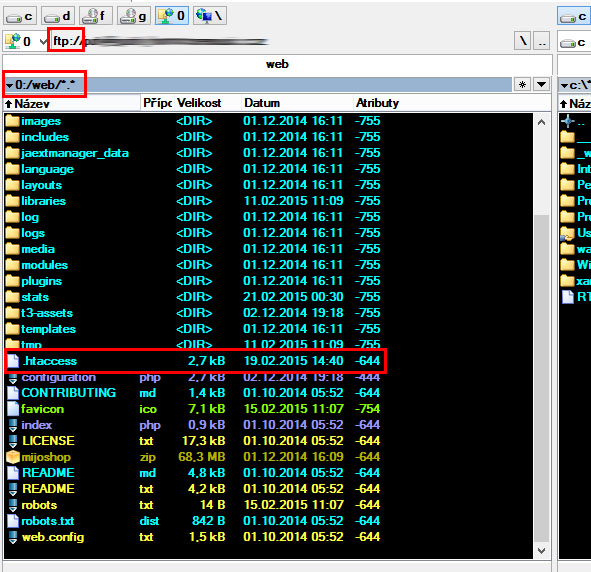
An example of the location of the .htaccess file placed in the web root folder on FTP: