Spam folder settings
If you access your mailboxes using the IMAP protocol, you will find emails
classified as spam in the Spam folder.
If you use the POP3 protocol, you cannot get to the folder where junk mail (spam) is stored. You may therefore lose messages that were marked as spam by mistake. In that case, it is a good idea to set messages marked as spam to also be stored in your inbox (the messages will still carry the X-spam-flag header, so you can use simple filters in your application to move them to a separate folder).
WARNING: If there are already some emails in the spam folder, they will disappear when you deactivate it. If they should be kept, you must first move them to another folder!
The procedure is as follows:
- log in to the customer center (zákaznické centrum)
- in the web hosting section, open the detail of your web hosting
- in the left menu click Mailboxes (E-mailové schránky) and select the specific mailbox in the list
- in the third section you will find the option Move emails detected as spam to the Junk folder (Přesunout e-maily detekované jako spam do adresáře Junk) - if you turn this option off, messages marked as spam will also be delivered to your inbox
Turning off anti-spam
If you use your own anti-spam solution, anti-spam can be turned off on our servers for your entire domain.
Setting up allowed and blocked senders
Every mailbox has a list of so-called allowed senders (whitelist) and blocked senders (blacklist). If a message's sender is found in one of these lists, the usual anti-spam check does not run, and the message is delivered straight away (for an allowed sender) or marked as spam (for a blocked sender).
You can set up these senders here:
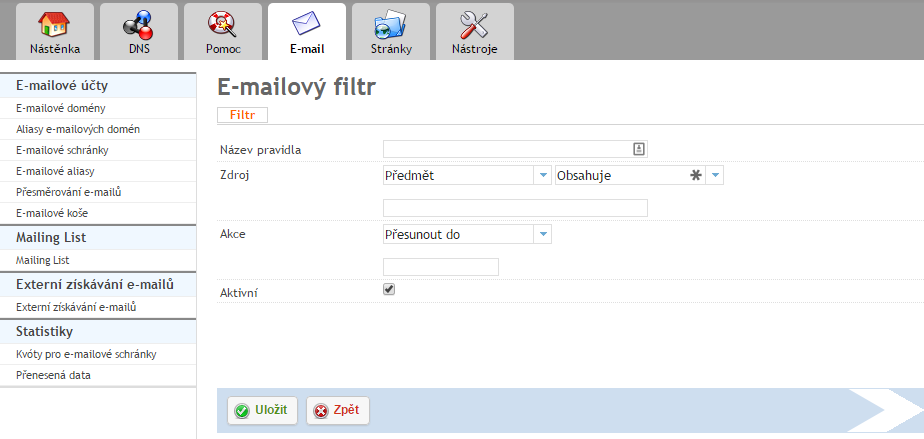
Hosting admin panel -> Mailboxes (Emailové schránky) -> Select the specific email address -> Go to the third tab, Email filters (Emailové filtry) -> Add filter (Přidat filtr)